Personas
Describe the people and companies you want to find, then reuse that description across Lumnis.
Reviewed 2026-08-25
A Persona is a saved description of the people and companies you want to find. You can reuse it in a people search, Account Intelligence, Audience Research, or a weekly Pipeline.
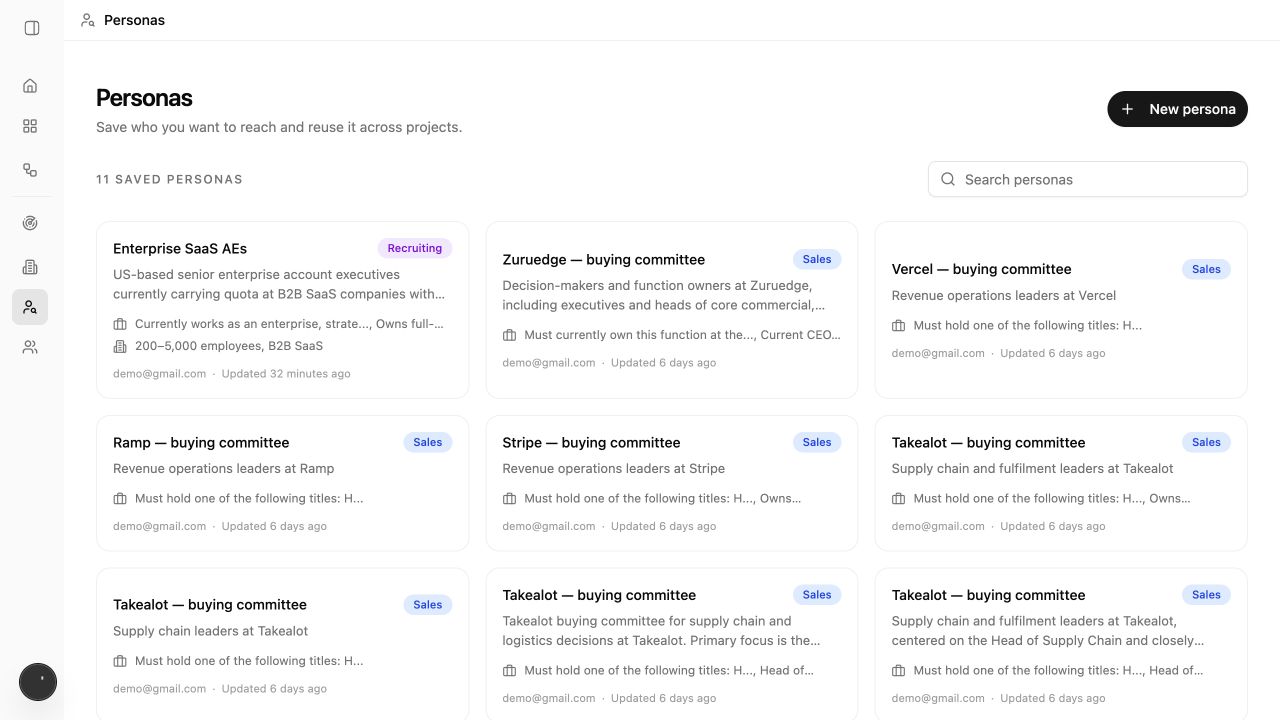
What belongs in a persona
Include details that Lumnis can check in a profile, company record, or public source.
| Part | Use it for | Example |
|---|---|---|
| Target audience | The plain-language summary | Security leaders at growing fintech companies |
| Person criteria | Role, seniority, function, and relevant experience | Owns cloud security or compliance |
| Company criteria | Industry, size, stage, and other requirements | B2B fintech, Series B or later |
| Reason for reaching out | Why this group has a relevant problem | Preparing for larger customer security reviews |
| Exclusions | People or companies that must stay out | Consultants, current customers, direct competitors |
Create a persona
You can create a Persona from Personas, Find Prospects, Add an account, Audience Research, or Start a weekly pipeline.
The steps below show the Find Prospects flow. From Home, choose Run a search under Find Prospects.
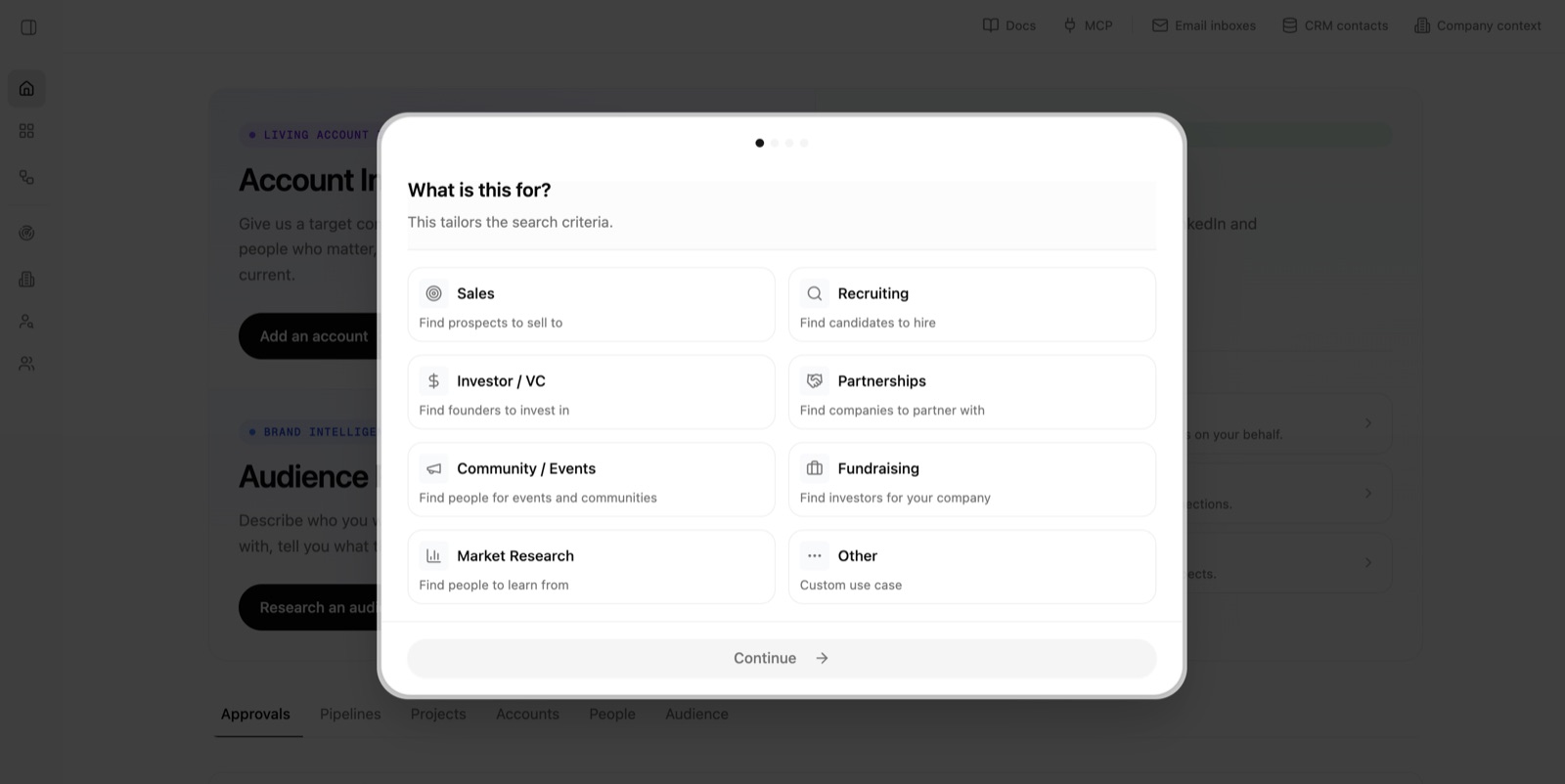
1. Choose a use case
Choose what the search is for, such as Sales, Recruiting, or Partnerships, then choose Continue.
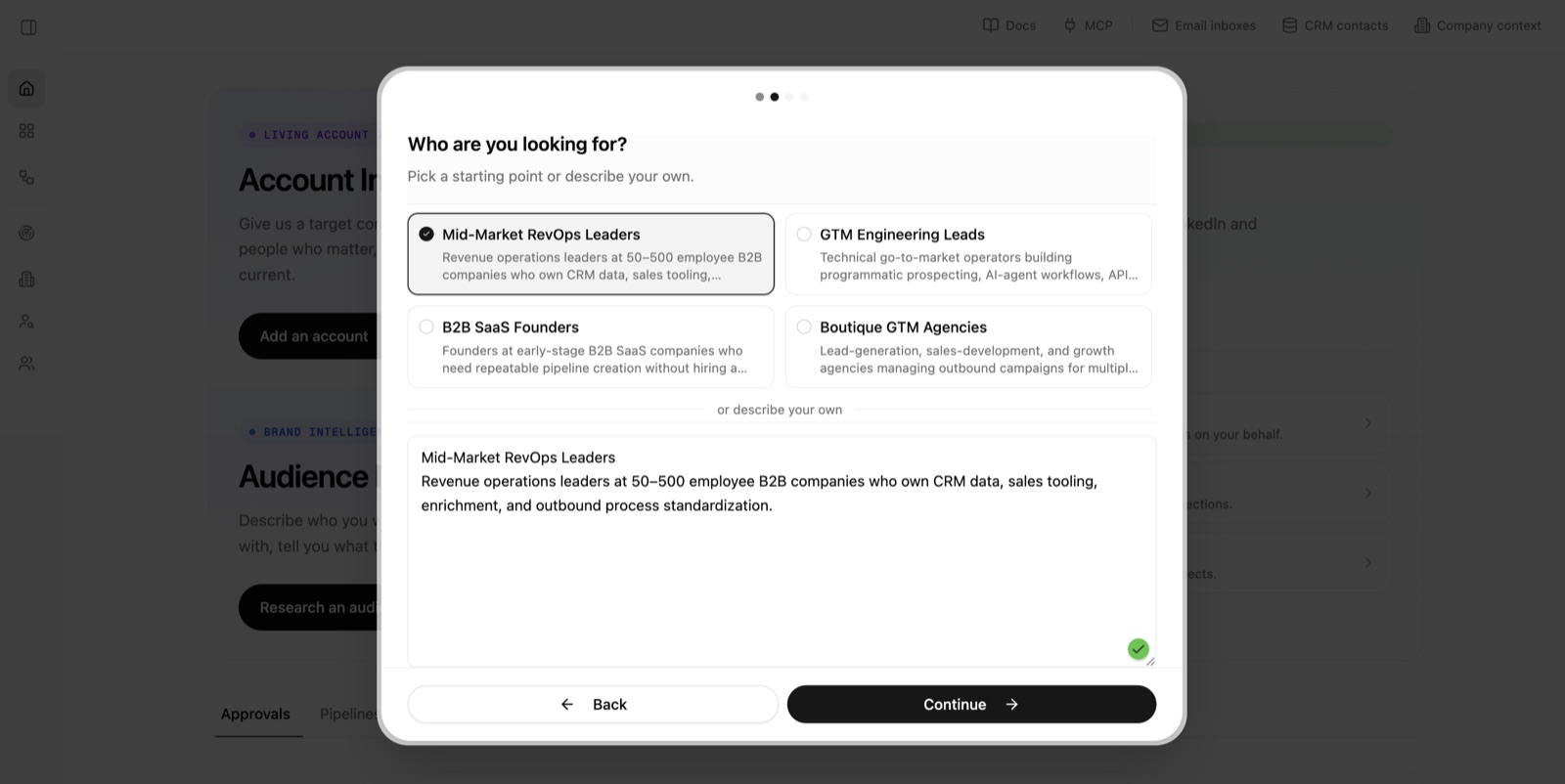
2. Describe who you are looking for
Choose a suggested audience or type your own description. Include the role, company, and reason the person matters. Then choose Continue.
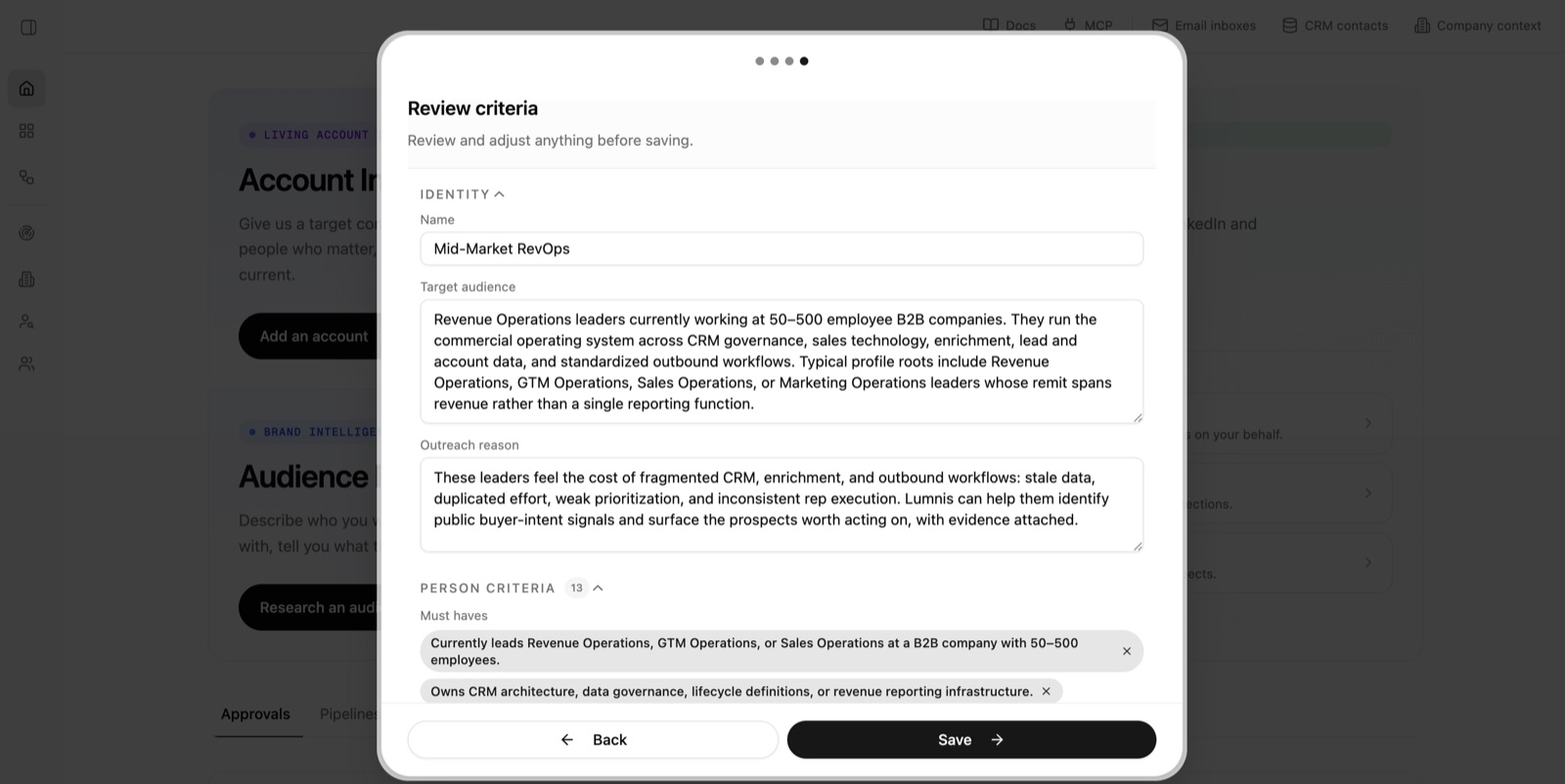
3. Review and save the persona
Lumnis researches the audience and drafts the Persona.
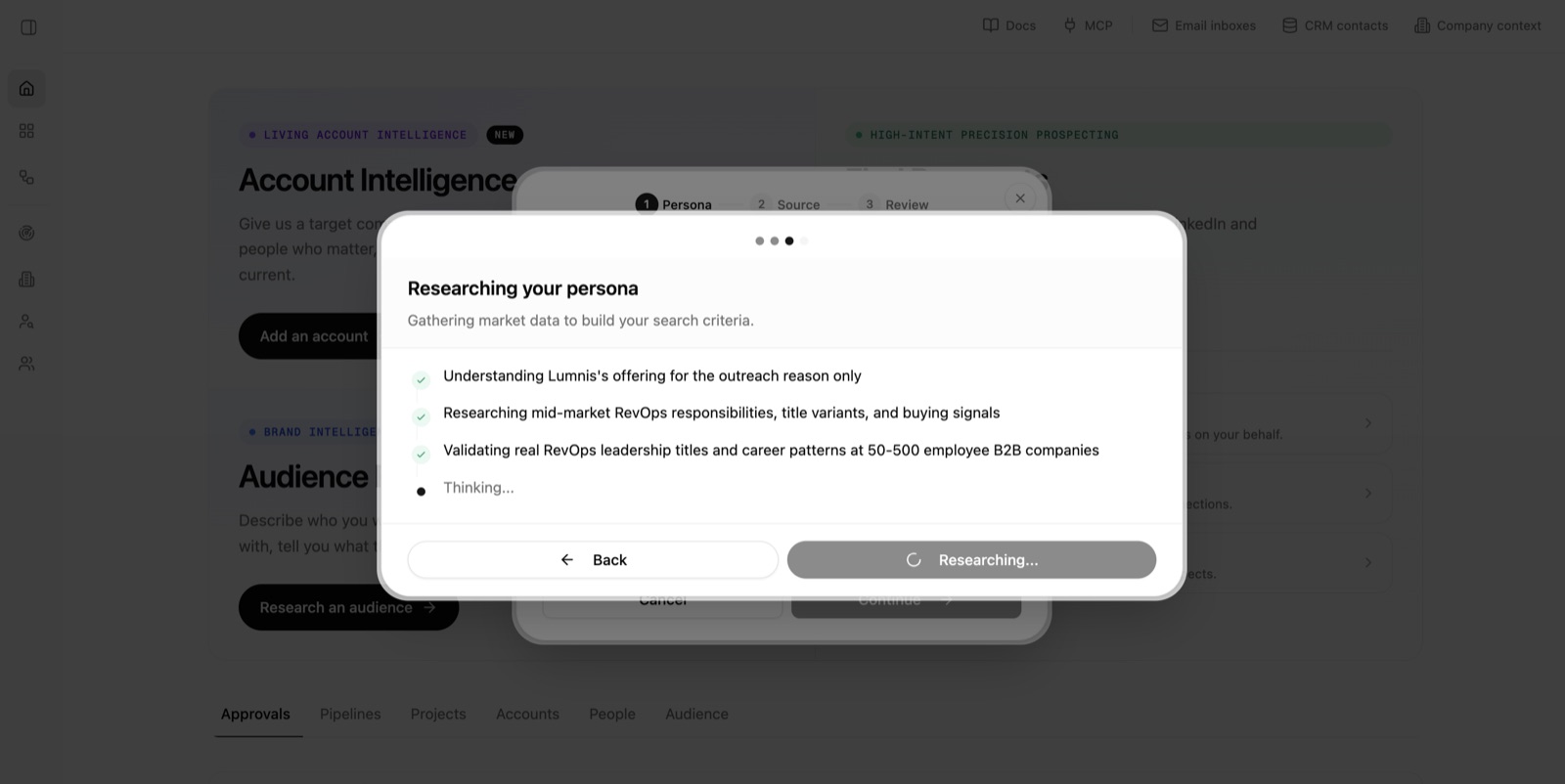
Review the audience, reason for reaching out, requirements, preferences, and exclusions. Edit anything that does not match your goal, then choose Save.
4. Continue with the saved persona
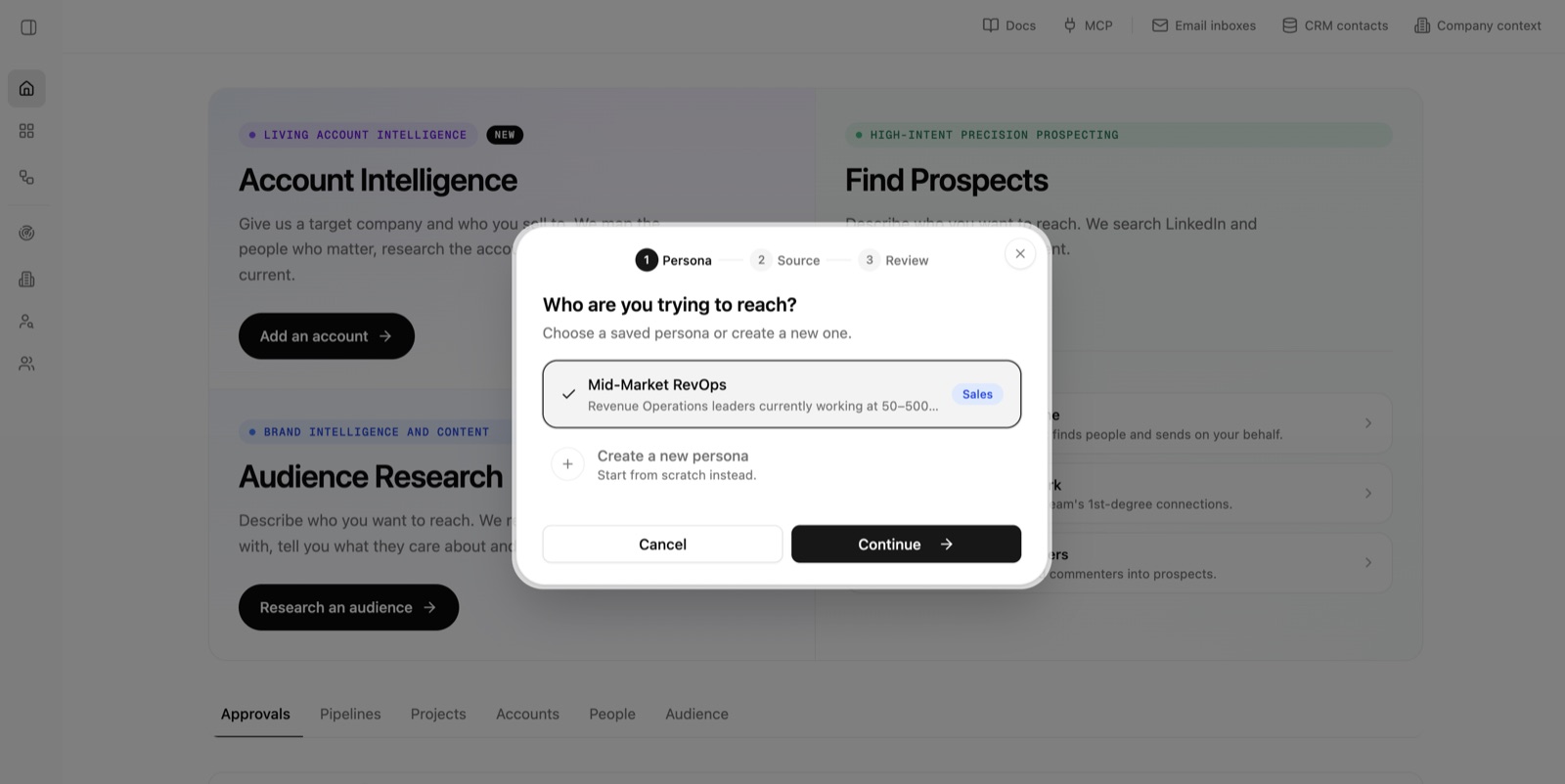
Confirm the Persona you saved is selected, then choose Continue. You can now choose a search type and launch the Project.
Requirements versus preferences
A requirement removes a person when it is not met. A preference moves a person up or down the results without removing them.
Use requirements sparingly. “Must be the current security owner” can be a requirement. “Prefer someone who has posted recently” is usually a ranking preference because not posting does not mean they are a poor match.
Write criteria Lumnis can check
Strong criteria describe evidence a profile, company, or source can support:
- Current function and seniority
- Current employer and company type
- Relevant work history
- Geography
- Recent public activity
- Hiring, competitor, or topic activity related to the search type
Avoid vague terms such as “innovative,” “high quality,” or “probably has budget.” Instead, explain what evidence would support the claim.
Reuse and revise
Choose an existing persona in a wizard when the underlying buyer is unchanged. Edit it when your target market changes. Create a separate Persona when the buyer, company, or required evidence is different enough to need its own search.
Persona names appear throughout Projects, Accounts, Audience Research, and Pipelines. Name the target audience, not the test. “Fintech security leaders” is clearer than “August test 3.”